
123JILI iOS Setup Guide: Safari PWA Installation on iPhone & iPad
Complete 2026 walkthrough for running 123JILI Casino on iOS devices with zero jailbreaking and instant GCash integration.
⚡ Quick Summary (TL;DR)
Due to Apple App Store restrictions on Philippine real-money gambling apps, 123JILI delivers a native-grade Progressive Web App (PWA). By opening 123-jili.ph in Safari and selecting "Add to Home Screen", iPhone users gain full-screen access, biometric login, and 1-tap GCash banking without jailbreaking.
Why Progressive Web Apps (PWA) are the Standard for iPhone Casino Gaming
Many generic guides falsely instruct players to download unverified third-party enterprise certificates (.mobileconfig profiles) that compromise device root integrity.
123JILI relies 100% on Apple's official web standard: the Progressive Web App. You never install unverified profiles. Your device security remains completely intact.
🍏 4 Steps to Install 123JILI on iPhone & iPad
Launch Safari and Navigate to 123-jili.ph
Open the native Safari browser on your iPhone. Enter 123-jili.ph. (Note: Google Chrome for iOS does not support PWA installation; Safari is mandatory).
Tap the Safari Share Icon
At the bottom toolbar of Safari, tap the Share button (the square icon with an upward-pointing arrow).
Select 'Add to Home Screen'
Scroll down the action sheet and tap Add to Home Screen. Confirm the application title as "123JILI" and tap Add in the top-right corner.
Launch Full-Screen from Home Screen
The 123JILI gold icon now appears on your iOS home screen alongside your native apps. Tapping it opens 123JILI in a standalone window free of browser URL bars.
📊 iOS Safari PWA vs Android Native APK Specifications
| Platform Feature | iOS Safari PWA | Android Native APK |
|---|---|---|
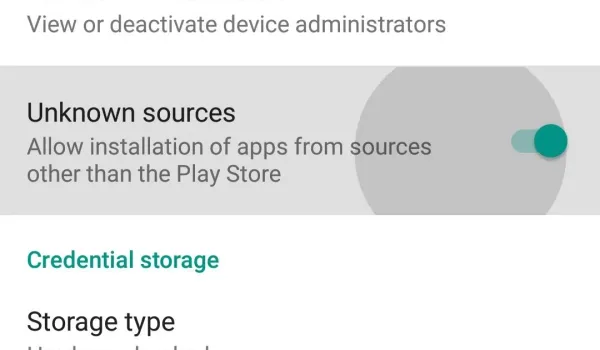
| Installation Method | Safari "Add to Home Screen" | APK Sideload (Unknown Sources) |
| Storage Required | <5 MB | 50 MB – 150 MB |
| Jailbreak / Rooting Required | No (Standard iOS feature) | No (Stock Android) |
| Biometric Security | Face ID & Touch ID supported | Fingerprint Unlock supported |
| GCash 1-Tap Cashier | Fully Integrated | Fully Integrated |
Related Mobile App Tutorials
⚖️ Responsible Gaming (Strictly 21+)
In accordance with Philippine law, online live casino gaming on 123JILI is strictly prohibited for anyone below 21 years of age under PAGCOR regulatory mandates. Mobile accessibility requires strict personal bankroll discipline. Always bet responsibly within your recreational budget. Assistance is accessible via the National Council on Problem Gambling Philippines, Gamblers Anonymous Philippines, and the PAGCOR Responsible Gaming Helpline. Self-exclusion measures are effective within 24 hours across all devices.
❓ iOS Setup Frequently Asked Questions
Why is the 123JILI app not found in the Apple App Store?
Apple places strict restrictions on real-money gambling apps in the Philippines. As a PAGCOR-licensed platform, 123JILI provides an official Progressive Web App (PWA) accessible directly via Apple Safari.
Is the iOS Safari PWA secure for real money transactions?
Yes. It operates with 256-bit SSL encryption and leverages Apple's secure WebKit sandbox, ensuring that your GCash credentials and personal data remain fully protected.
Do I need to jailbreak my iPhone to install 123JILI?
No. Installing the 123JILI PWA does not require jailbreaking or trusting third-party enterprise profiles. It uses Apple's native 'Add to Home Screen' capability.
Can I use Google Chrome on iPhone to install the app?
No. iOS restricts the 'Add to Home Screen' PWA installation capability exclusively to the native Apple Safari browser. You must open 123-jili.ph in Safari to set up the icon.
How much device storage does the iOS web app consume?
The PWA uses less than 5MB of local storage, dynamically caching slot graphics and sound files without clogging your iPhone's internal memory.